
Solutions · By Vessel Type
Bulk Carrier Fleets with SecureLoad
Handy / Supra
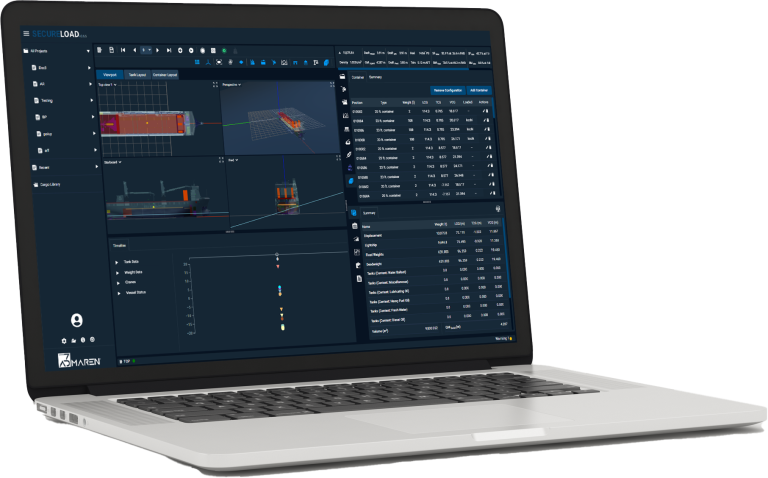
Who Uses SecureLoad on Bulk Carriers
Different teams use SecureLoad for different decisions but all on the same vessel model and cases.
On the ship
Masters
Work with approved loading, ballast and grain conditions, with clear margins and reports surveyors recognise.
Chief Officers
Build and adjust loading cases for standard trades and spot cargoes without juggling multiple tools and spreadsheets.
On shore
Port Captains / Superintendents
Review shipboard cases, support vessels on tight turnarounds and run “what-if” scenarios before cargo is fixed.
Technical / Fleet Managers
Standardise loading practices across the bulk fleet, monitor how close vessels run to limits and manage updates to vessel data.
Chartering & Operations
Check intake and feasibility on candidate vessels early, so commercial decisions reflect real stability, strength and draft constraints.
Bulk Carrier Realities We Design For
Onboard & Port-Side
- Reworking loading and ballast plans at the berth when drafts, densities or grades change late.
- Grain and special-condition checks that are time-consuming to prove and explain to surveyors.
- Tight port windows where every revision to cargo or ballast eats into sailing time.
Shore & Fleet Level
- Unclear true intake per voyage when each vessel is planned with different tools and assumptions.
- Different “house rules” and spreadsheets per vessel, making it hard to enforce one standard.
- Limited visibility on how close ships routinely run to limits across trades, seasons and terminals.
How SecureLoad Fits Bulk Carrier Operations
Three core capabilities typically in scope for bulk carrier fleets.

Loading Computer
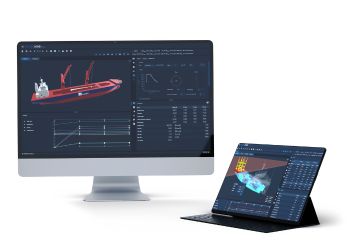
Run intact/damage stability, longitudinal strength, grain conditions and ballast/trim in one flow for each voyage. Keep surveyors, masters and supers aligned on the same approved loading cases.
Fleet Cargo Planner

3D Stowage Planner
From First Intake Estimate to Final Sign-Off
Estimate Intake in Fleet View
Plan the Actual Loading Case
Run Stability, Strength & Grain Checks
Execute and Record
What Changes With SecureLoad
Before SecureLoad
Multiple spreadsheets and home-grown methods per vessel, each chief officer’s own style.
Supers and fleet teams struggle to see what really happened on past voyages.
Rework at the load port because intake, trims or grain checks don’t line up with expectations.
With SecureLoad
A single, validated loading workflow per vessel, used by ship and shore.
Common methods and rules applied across similar bulkers in the fleet.
Faster, more predictable surveyor sign-off at load and discharge ports.
Standardise How Your Bulk Fleet Plans and Loads
Common rule sets by vessel class
Apply the same stability, strength and grain margins across handy/supra, panamax and capesize groups—no more “one rule per vessel”.
Shared templates for recurring trades
Use approved loadcase templates for your regular coal, ore and grain trades, so officers start from a standard pattern instead of a blank file.
KPIs on planning quality
Track drafts, intake, constraint hits and time-to-approval across voyages and vessels to see where planning can be tightened.
Standardisation Checklist (conceptual visual)
A simple checklist-style block showing items such as:
- Same loadcase structure across similar bulkers
- Same naming conventions for conditions and voyages
- Same reporting format for masters, supers and surveyors
Safety, Compliance and Grain Conditions
Stability & Strength for Bulk Loadcases
Grain & Special Cargo Checks
Audit-Ready Reporting
Resources for Bulk Carrier Teams
Deep-dive into how SecureLoad works in real operations.
Blog
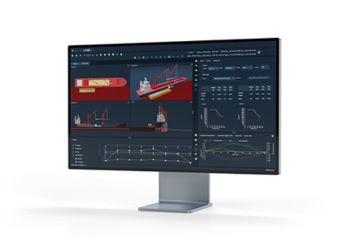
Why Ship↔Shore Continuity Matters More Than UI
How aligned vessel models, methods and workflows do more for safety and efficiency than any single “modern interface”.
Videos
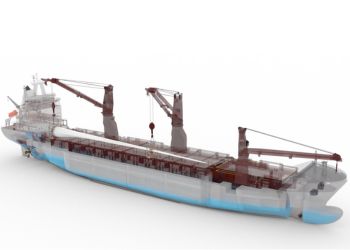
Bulk Carrier Loading Workflow in SecureLoad
A short walkthrough of a loaded departure condition—from intake to surveyor-ready report.
Downloads
SecureLoad Loading Computer – Bulk Carrier One-Pager
A concise overview of how SecureLoad supports loading, ballast, grain and reporting on bulk carriers.
